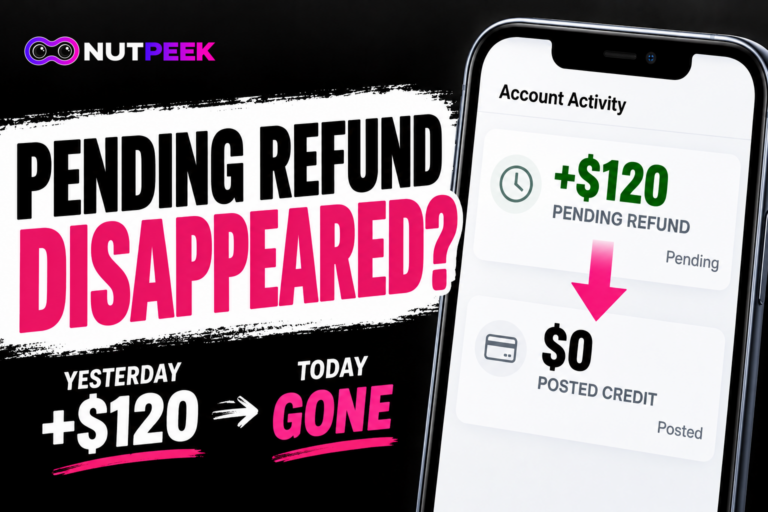

You spot a Visa Provisioning Service charge in your card activity. Maybe it shows $0.00. Maybe it’s a small pending amount. Later, you check again, and the entry is gone.
Often, this is routine: a small verification request around the time a card is added to a digital wallet or saved with a payment service. But that’s only reassuring if you, or someone you trust, actually set it up.
That’s the part worth checking. Cardholders have reported disappearing alerts and issuers that couldn’t find a completed wallet setup. The useful question isn’t simply whether the alert vanished. It’s who requested the setup, and what—if anything—was approved.
Did you add this card to a digital wallet?
- Yes: Match the card, service, and date to a setup you made or explicitly authorized. Check the wallet and issuer app first. If something does not match, keep investigating.
- No: Don’t dismiss the alert because the amount is tiny. Contact the card issuer using its official app or the number on your card and ask whether someone tried to register a payment token.
- Not sure, or the alert disappeared: Save the wording and date if you have them. First check the wallets you control, then ask the issuer what its records show.
A token is a substitute credential that lets a wallet or payment service use your card without sharing its actual card number with the merchant. You don’t need to learn Visa’s technical system to work through the next steps.
Did you already check the wallets on your own phone?
You can rule out an obvious, forgotten setup before spending time on hold:
- Apple Wallet: Open Wallet and look for the card. To remove a card from that iPhone, open the card, choose More → Card Details → Remove Card. Check any Apple Watch or other Apple devices you use as well.
- Google Wallet: Open the app and look through your payment cards. You can open a card and choose More → Remove payment method. Google also documents device-specific removal options on its Wallet website; removing a card from the website does not always remove it from the app on a device.
- Chase-issued card: In Chase Mobile, select your credit card (or the checking account for a debit card), then Manage account → Digital Wallets. Chase says this screen can show cards you have added to a selected wallet and cards available to add. It is not a full inventory of every device token.
- Capital One-issued card: In the Capital One app, open your profile → Digital Wallet Manager. Capital One documents this screen for adding cards to wallets, so it may not show every place your card is already active. Its separate Virtual Card Manager is about eligible virtual card numbers, not a universal way to remove unknown wallet tokens.
If you find a setup you recognize, compare dates and details. If you find nothing, that tells you only what is visible in your accounts—not what may have happened on someone else’s device.
Seeing a different unfamiliar descriptor, such as APPLE.COM/BILL, rather than Visa Provisioning Service? That’s a separate charge-identification problem. Here’s what to check first.
The alert said "$0.00 declined." What does that mean?
A declined $0.00 notification can be an unsuccessful card-verification or digital-wallet enrollment request. The word declined doesn’t tell you who initiated it, and it doesn’t tell you whether a usable token was ever created.
If you were trying to add the card to a wallet, check whether that setup failed. If you weren’t trying to add anything, save the notification and ask the issuer whether an enrollment was requested, denied, or completed. If the issuer sees no record, ask what it checked and whether it recommends any monitoring or card restriction.
Your bank sees no charge. What should you ask next?
Don’t treat an alert, a wallet token, and an actual purchase as the same event. Use this Alert → Token → Money check to work out which question is still unanswered.
| What you know now | What it means for your next step |
|---|---|
| A $0 alert appeared, then vanished | Save the alert if possible. Ask whether it referred to a verification or token request. An alert doesn’t show that money was collected. |
| No posted transaction appears | Ask whether any wallet enrollment was attempted, declined, or completed. A clean transaction list is not a token-status report. |
| The issuer confirms a declined enrollment attempt | Ask whether a token nevertheless exists and whether card restrictions are needed. Don’t assume a declined attempt succeeded. |
| The issuer identifies an unfamiliar active token | Ask for the issuer’s fraud/wallet team to investigate and suspend or delete the token; discuss locking or replacing the card. |
| An unfamiliar purchase actually posted | Report the purchase separately as potentially unauthorized, even while the token inquiry continues. |
These are questions to reconcile evidence, not a claim that every bank can display the same records in its consumer app.
You received a verification code you never requested. Does that change the priority?
Yes. Visa has warned about criminals trying to add stolen card details to their own devices by obtaining one-time passcodes through phishing texts, fake sites, or impersonation calls.
Visa estimated about $450 million in token-provisioning fraud losses worldwide in 2022, according to a December 2023 announcement. That figure describes a broad fraud problem—not the likelihood that a particular $0 alert is fraudulent.
Don’t share an unexpected code. If you’ve already provided a code or card details, tell the issuer exactly what happened. Ask what account protections and token restrictions it recommends. Don’t call a phone number supplied in a suspicious message.
A code you didn’t request is a reason to investigate promptly—not a diagnosis that your card has already been added to a stranger’s phone.
What should you say when you contact your card issuer?
Rather than asking only, “Is this $0 charge normal?”, ask four specific questions:
- Was there a token or digital-wallet enrollment request? Was it approved, declined, or left incomplete?
- Is there an active token or wallet enrollment I don’t recognize? What information can your team verify about it?
- If a token is unfamiliar, can you suspend or delete it? Should I lock or replace the card, and what happens to related tokens?
- Were there separate authorizations or posted purchases? Does any transaction require a fraud report or dispute?
Visa provides technical tools for issuers to investigate and manage payment tokens, including suspension and deletion. The support representative you first reach may need to transfer you to a card-fraud or digital-wallet specialist.
The crucial difference is between removing a card from your own wallet and asking the issuer to investigate an unknown wallet token. One does not automatically solve the other.
Quick answers
Why did I get a Visa Provisioning Service charge?
A card verification or wallet-enrollment request is one possible cause. Start with recent wallet and payment-service changes you recognize; if you can’t account for it, ask the issuer what request it received.
What is a Visa provisioning $0 charge?
A $0 entry can represent an authorization or verification request rather than a purchase. Check whether it is pending, declined, or posted before treating it as a bill.
Why is there a $0.00 charge on my card?
A zero-dollar request may be used to check a card during enrollment or payment setup. If the message says declined, check the status of that attempt instead of assuming a completed charge.
Is there a charge for Visa provisioning services?
These entries are typically verification requests, not purchases, so they usually show $0 or a tiny amount that doesn’t post as a bill. If an amount actually posts and stays on your statement, ask the issuer what it represents.
One last PEEK
If the setup matches something you recognize, reconcile the alert and move on. If it doesn’t, check your own wallets and get the issuer’s answer about the enrollment request, active tokens, and any real charge. A tiny amount isn’t a security verdict.
Sources
- Visa — Token Service Provisioning and Credential Management
- Visa — MFA and OTP Bypass Security Alert (2023)
- Visa — Provisioning Intelligence launch and 2022 worldwide fraud estimate (Dec 2023)
- Apple Support — Remove an Apple Pay payment card
- Google Wallet Help — Manage payment methods on your devices
- Chase — How to Use a Digital Wallet
- Capital One — Virtual Cards with Google Pay